GoHighLevel
Send GoHighLevel contacts and opportunities to LettrLabs with a workflow webhook or with Zapier.
Overview
GoHighLevel can send a contact or an opportunity to LettrLabs when a workflow runs. LettrLabs then mails the person in the record, or the homes near its address.
You can send GoHighLevel records in two ways:
- A Webhook action in a GoHighLevel workflow sends each record to a LettrLabs webhook.
- A Zap with the LeadConnector app reads GoHighLevel and sends each record to LettrLabs. LeadConnector is the Zapier app of GoHighLevel.
Before you begin
- Access to edit workflows in GoHighLevel.
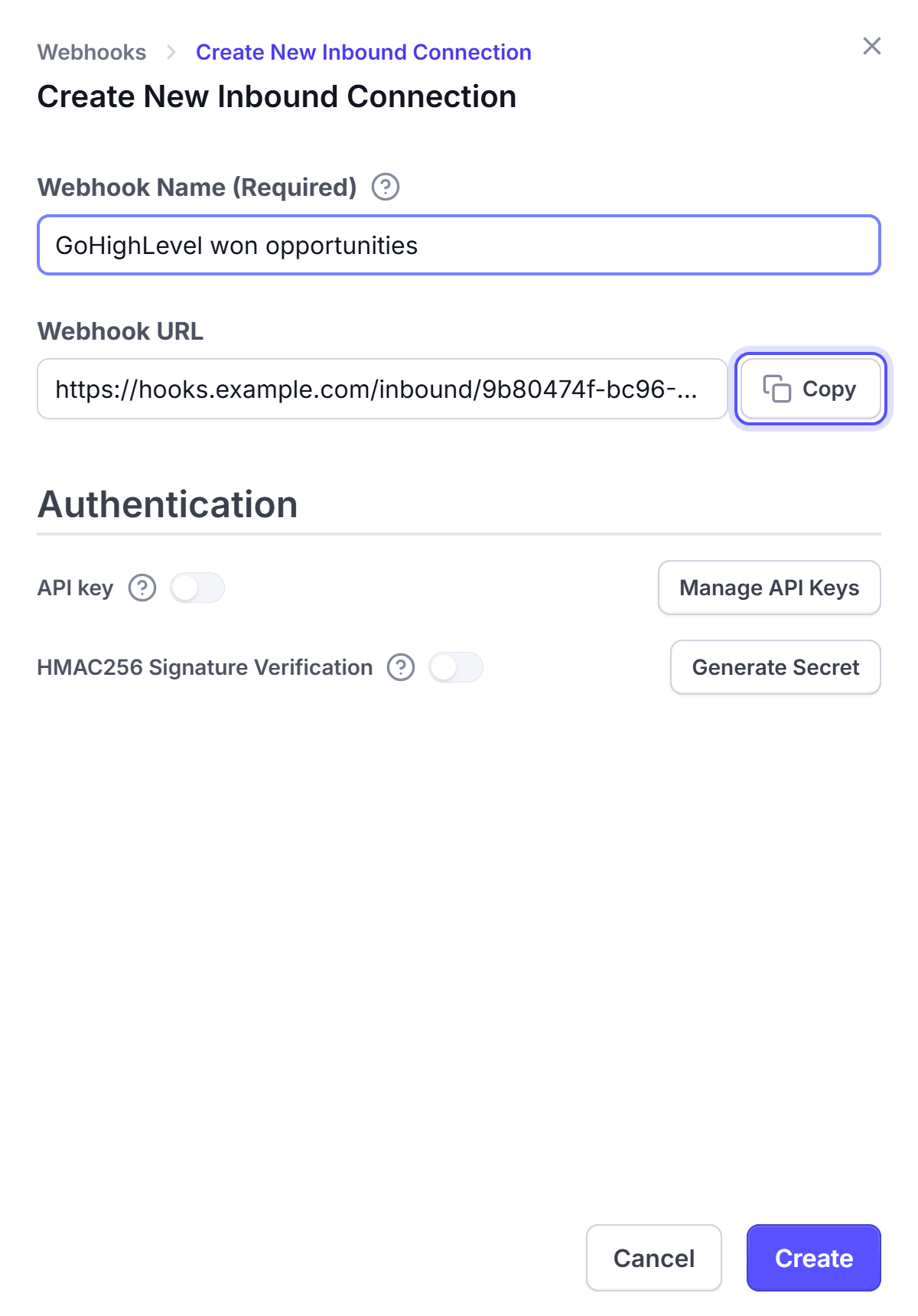
- A LettrLabs webhook with an API key. See The LettrLabs part of each recipe.
Send GoHighLevel records with a workflow webhook
In GoHighLevel, go to Automation > Workflows. Set the trigger, for example Opportunity Status Changed to Won.
Add a Webhook action to the workflow.
Set the method to POST. Paste the LettrLabs webhook URL in URL.
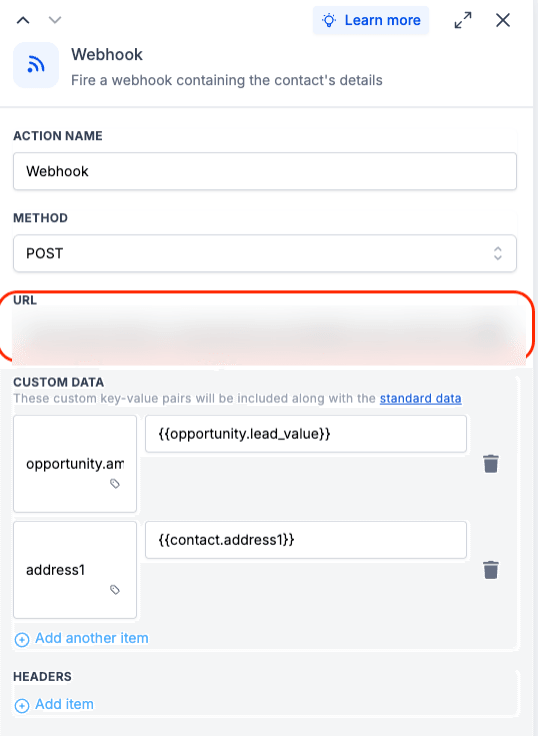
Under Custom data, add the fields that the mail needs, for example address1 with the value {{contact.address1}}.
Under Headers, add an item with the name X-API-KEY. Paste your LettrLabs API key as the value.
Save the action. Then enroll one test contact to run the workflow.
You're done when the test record shows on the History tab of the Inbound webhooks page. Then make the campaign, and set the webhook to Active. See Mail to recipients.
Send GoHighLevel records with Zapier
Connect Zapier to LettrLabs. See Connect Zapier.
In Zapier, start a new Zap with LeadConnector as the trigger app. Sign in to GoHighLevel, and select the sub-account.
Pick the trigger, for example Pipeline Stage Changed, Contact Tag Added or Form Submitted.
Add the LettrLabs app as the action. Pick your Zapier campaign, and map the name and address fields.
Test the Zap, then publish it.
You're done when the test record shows in your Zapier campaign in LettrLabs.
FAQ
Related
CRM recipes
Compare the recipes of each CRM.
Set up a webhook
Create the URL that GoHighLevel sends to.
Fields and filters
Match the GoHighLevel fields to the mail fields.
Steps checked 2026-11-10.