Billing
How your balance, charges and auto-billing work.
Overview
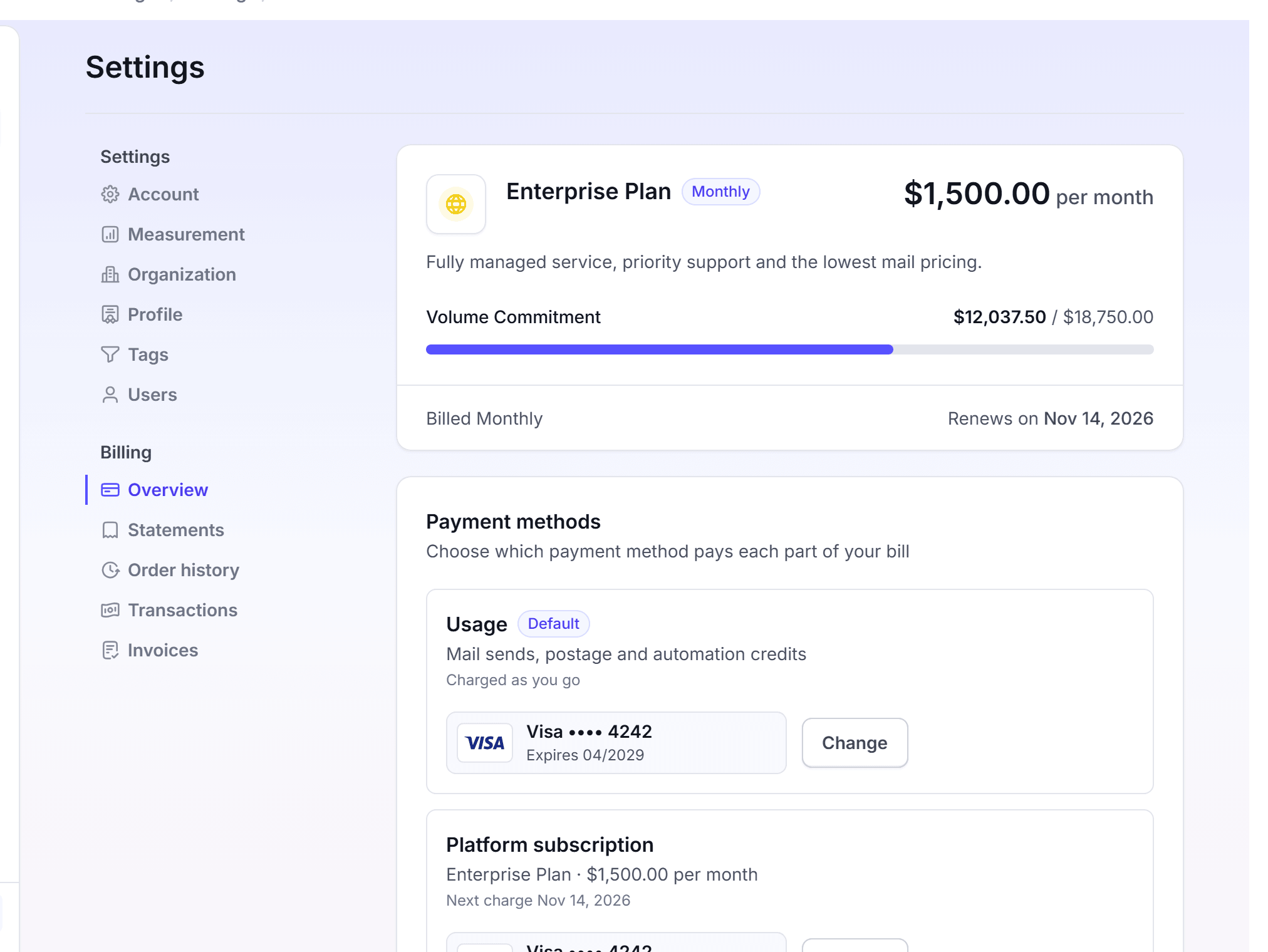
LettrLabs bills your mail from two sources: your balance and your payment methods. LettrLabs uses the balance first on each charge. Only the rest goes to a payment method. The Billing pages show your plan, your balance, your payment methods and the record of each charge.
You can use Billing to:
- See your plan and your balance.
- Choose the card or bank account that pays each charge.
- Choose what happens when an automation runs out of credits.
- Download your statements, receipts and invoices.
To open Billing, click Settings. The Billing group in the left list holds Overview, Statements, Order history, Transactions and Invoices.
Pages in this section
The table lists the pages of this section.
| Page | What it covers |
|---|---|
| Payment methods | Add a card or a bank account. Choose the method for each charge type. Set auto-billing. Redeem a promo code. |
| Plan and balance | See your plan and your balance. Upgrade your plan. The features of each plan. |
| Statements and invoices | Download monthly statements, order receipts, transaction receipts and plan invoices. |
How your balance and charges work
Each charge follows the same order. A charge is, for example, a campaign at checkout or the credits of an automation.
LettrLabs takes the amount from your balance first.
When the balance does not cover the full amount, LettrLabs charges the rest to a payment method.
LettrLabs records the charge on the Transactions page, as a credit or a debit.
You can see your balance in two places. The account card at the foot of the left navigation shows it, with the word Balance. The Balance card on Settings > Overview shows it too.
The charge types
Your account can have up to three charge types. Each charge type can use its own payment method.
| Charge type | What it pays |
|---|---|
| Usage | Mail sends, postage and automation credits. It is charged as you go. |
| Platform subscription | The price of your plan. |
| Volume commitment | Your annual commitment, billed in parts. |
The method of Usage is your default payment method. A charge type that shows Same as Usage uses the same method.
What adds to your balance
The Transactions page names the cause of each credit. A credit is, for example, a Refund, a Bonus Credit, a Manual Credit or an Adjustment. When your account is part of an organization, the organization can move balance to your account.
When an automation runs out of credits
An automation charges for its mail when it runs, and nobody is at checkout. Auto-billing tells LettrLabs what to do when the balance is too small. The options are in the table below.
| Option | What it does |
|---|---|
| Charge only the amount required | Charges the amount that the automation needs. This is the default. |
| Top off with a fixed amount | Charges a fixed amount that you set, from 50,000. |
| Do not charge my payment method | Charges nothing. |
To change the option, see Set automation auto-billing.
When a charge fails
When a payment fails, the charge type shows Past due on the Payment methods card. Its row reads, for example, "Payment failed · $49.00 is due". To pay, change the method of that charge type. The button then reads Update and pay with the amount.
FAQ
Related
Payment methods
Add the card or bank account that pays for your mail.
Plan and balance
See your plan and your balance, and upgrade your plan.
Statements and invoices
Download your statements, receipts and invoices.
Steps checked 2026-11-09.