Webhooks
Send records to LettrLabs from your own systems, and act on each one.
Who can use this: Core plan or higher. Any role. Needs: A system that can send an HTTP POST request with a JSON body.
Overview
A webhook is a URL that your own system sends records to. LettrLabs then does an action with each record, for example it mails the person in the record.
You can use webhooks to:
- Mail each new lead or sold job that your system sends.
- Mail the homes near each address that your system sends.
- Choose which records mail, with filters.
- See each record that arrived, and what LettrLabs did with it.
A webhook has two parts, and you set them up in two places:
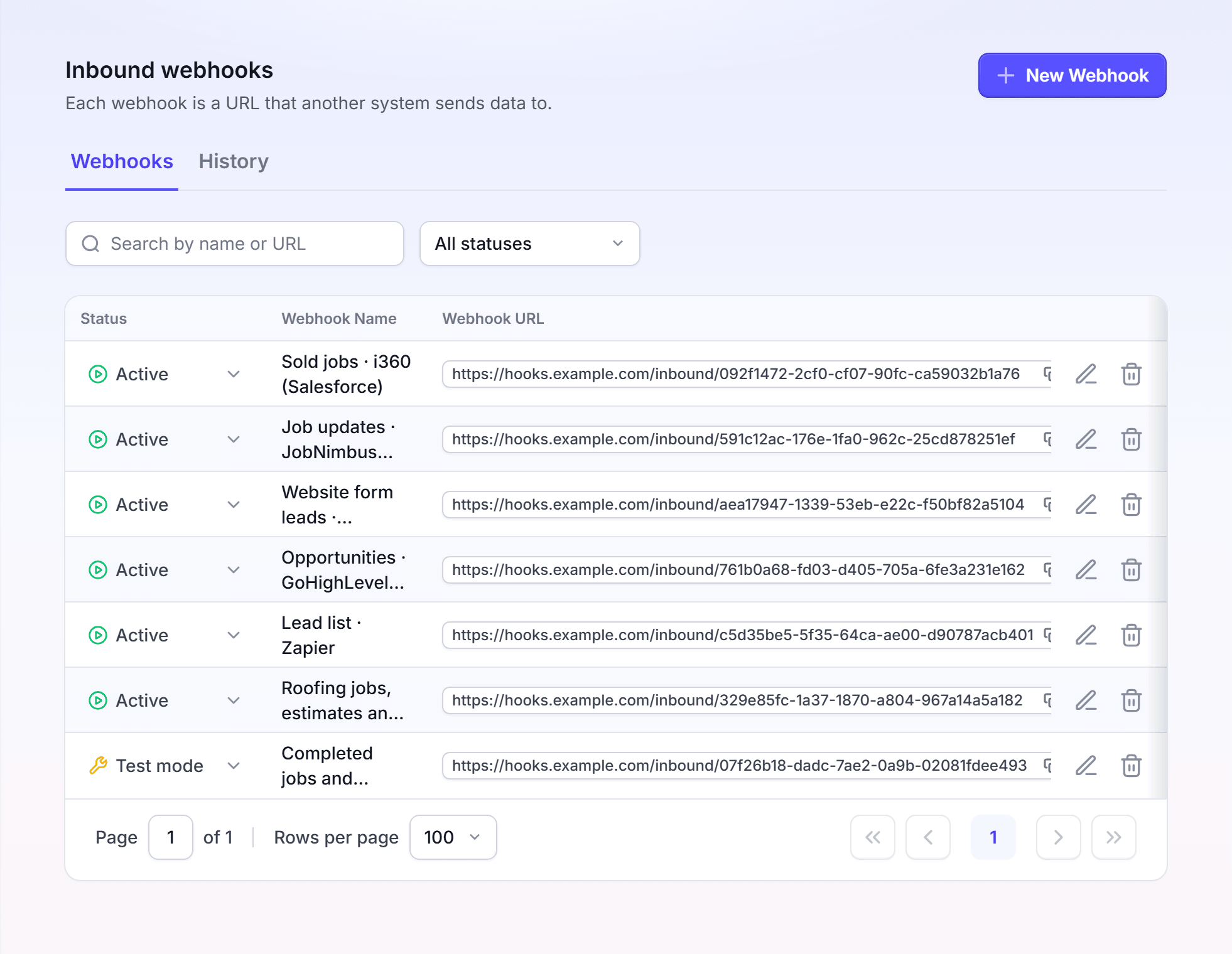
- The webhook receives the records. You create it in Integrations > Webhooks.
- The action tells LettrLabs what to do with each record. You choose it when you make an automated campaign in Send Mail. A webhook campaign needs the Premium plan to turn on.
One webhook can feed more than one campaign. Each campaign that uses the webhook reads each record.
The webhook pages
The table lists each part of the webhook setup, and where it is in the app.
| Page | What it does | Where it is in the app |
|---|---|---|
| Set up a webhook | Creates the URL, and protects it with an API key or a signature. | Integrations > Webhooks |
| Mail to recipients | Mails the person in each record. | Send Mail > My Data and Integrations > My System Sends Them > Webhook |
| Radius Mail | Mails the homes near the address in each record. | Send Mail > Map-Based Search > Radius Mail > Addresses My System Sends > Webhook |
| Fields and filters | Matches the record to the mail fields, and chooses which records mail. | The Audience step of Send Mail |
| Webhook history | Shows each record that arrived, and each action run. | Integrations > Webhooks > History, and Attribution Data |
| Attribution webhooks | Counts a sale or a lead. | Not available yet |
| CRM recipes | Sends the records of HubSpot, JobNimbus and other CRMs. | The settings of your CRM |
How a webhook works
- Your system sends a record to the webhook URL as JSON.
- LettrLabs checks the API key or the signature, when the webhook asks for one.
- LettrLabs keeps the record as an event. A webhook in Test mode stops here, and no mail goes out.
- Each active campaign that uses the webhook reads the record. A campaign skips the record when a filter does not match.
- The History tab shows each event, its status and the action runs.
Before you begin
- Your system must send an HTTP
POSTrequest with a JSON body. - A person who can change that system must add the webhook URL to it.
- Send one test record before you make the campaign. The field mapping reads the fields of the records that the webhook received.
FAQ
Related
Set up a webhook
Create the URL, and protect it.
Webhook history
See each record that arrived.
How integrations work
Compare webhooks with the other sources.
Steps checked 2026-11-16.