Webhook history
See each call the webhook received, and the actions it ran.
Overview
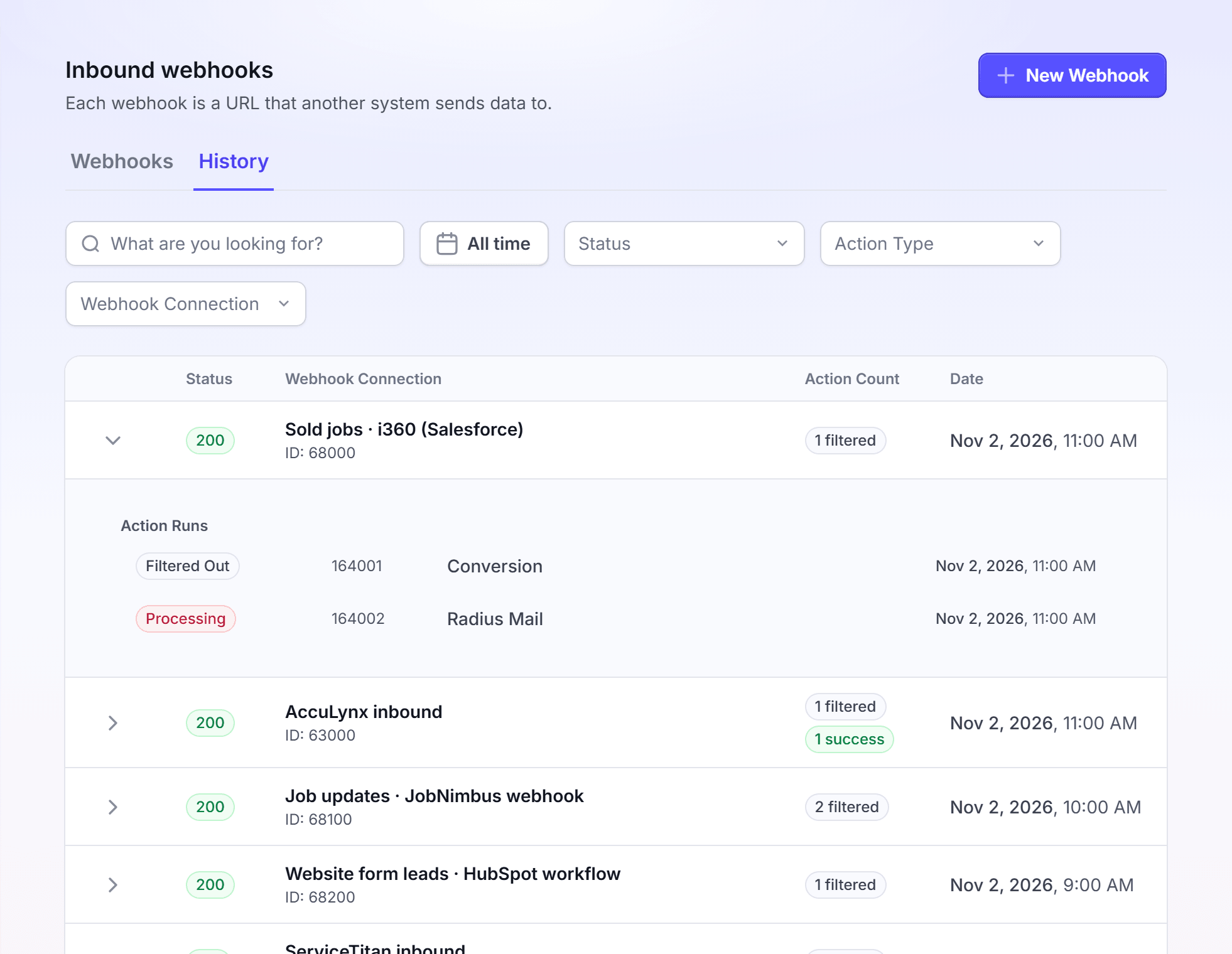
Each time your system sends a record to a webhook, LettrLabs keeps it as an event. The History tab of the Inbound webhooks page lists each event. Under each event, it lists the action runs: one run for each campaign that read the record.
You can use the webhook history to:
- Check that your system sends records to the webhook.
- See the data of each record, as LettrLabs received it.
- Find out why a record did not mail.
- See the same calls in Attribution Data, next to your other sources.
Find an event
Open the History tab to check that a record arrived.
In the left navigation, under Integrations, click Webhooks. Then click the History tab.
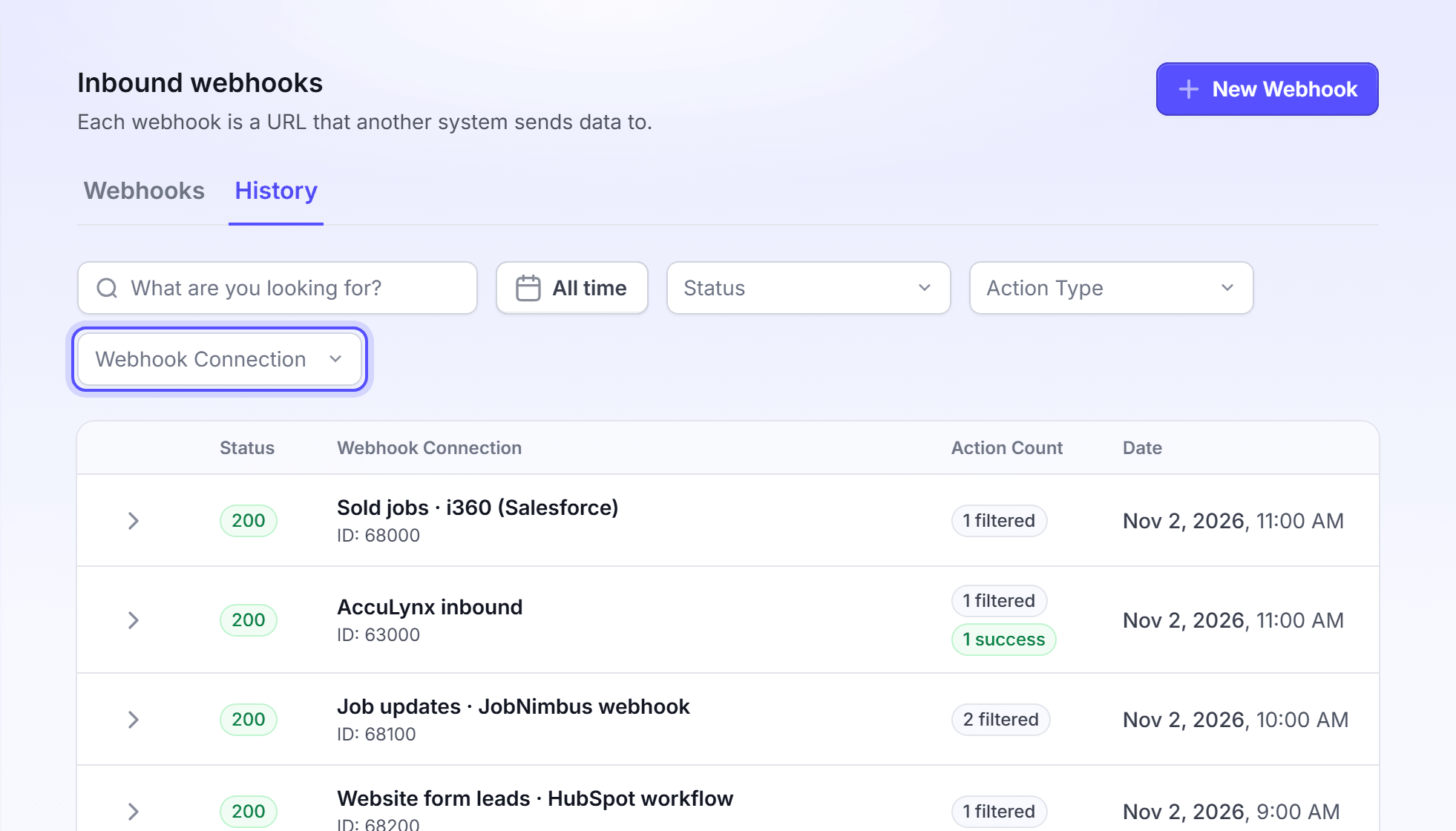
Optional: In the search field, enter a word from the record, or the event ID. To find the events of one webhook, use the Webhook Connection filter.
Optional: Set the date range, or filter by Status, Action Type or Webhook Connection.
Optional: To remove all filters, click Clear filters.
You're done when the event shows in the table. The table shows 25 events on each page.
Each row has these columns.
| Column | What it shows |
|---|---|
| Status | The HTTP status code that LettrLabs sent back to your system. Green is a success. |
| Webhook Connection | The webhook name, and the event ID under it. |
| Action Count | The runs of the event, as counts: filtered, success and failed. A dash means no action ran. |
| Date | The time the event arrived. |
The table lists the events of a webhook in Test mode too. They show no action runs, because Test mode runs no action.
Read the action runs of an event
Open the action runs to see what each campaign did with the record.
On a row that has action runs, click the expand button of the row. The Action Runs list shows under it.
Read the status, the run ID, the type and the time of each run. A run with a note shows the note in a second line.
Click a run. The Webhook Action Run Details drawer opens.
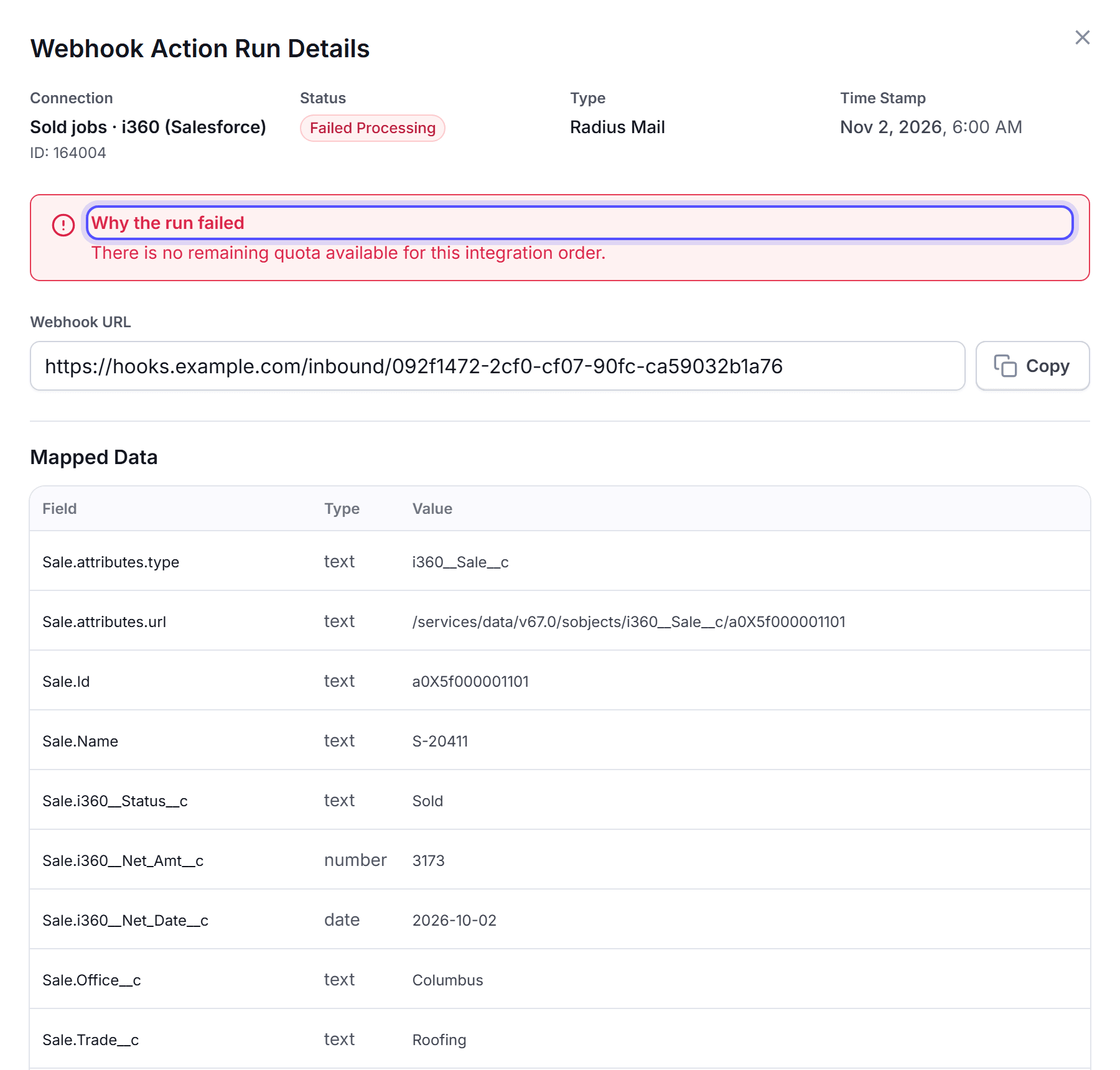
Read the Connection, Status, Type and Time Stamp fields, and the Mapped Data that the campaign used.
You're done when you know what the run did. The type is Mail to Recipient, Radius Mail or Conversion.
The table lists each run status.
| Status | Group | What it means |
|---|---|---|
| Success | Success | The action ran. A note with "Some records were refused" means the action used some records and refused others. |
| Filtered Out | Filtered | The record did not pass a filter of the campaign. |
| Deduplicated | Filtered | Run Once is on, and a record with the same unique id already ran. |
| Missing Unique ID | Filtered | The record did not have the unique id field. |
| Skipped | Filtered | The campaign was not active when LettrLabs read the record. |
| Pending, Processing | Failed | The run has not finished. The tab shows it in red until it finishes. |
| Failed Processing, Mapping Error | Failed | The run stopped with an error. The note "Why the run failed" gives the error. |
Read the data of an event
Read the event data to see exactly what your system sent.
Click the row of the event. The Webhook Events Detail drawer opens.
Read the Connection, Status, Action Count, Time Stamp and Webhook URL fields.
Read the record under Input Payloads.
You're done when you see the fields that your system sent. Use them to check your field mapping.
See webhook calls in Attribution Data
Attribution Data shows your webhook calls beside the records of your other sources.
In the left navigation, click Attribution Data.
Click the Webhooks source tab. It opens on Attribution Records. Then click the Webhook Events tab.
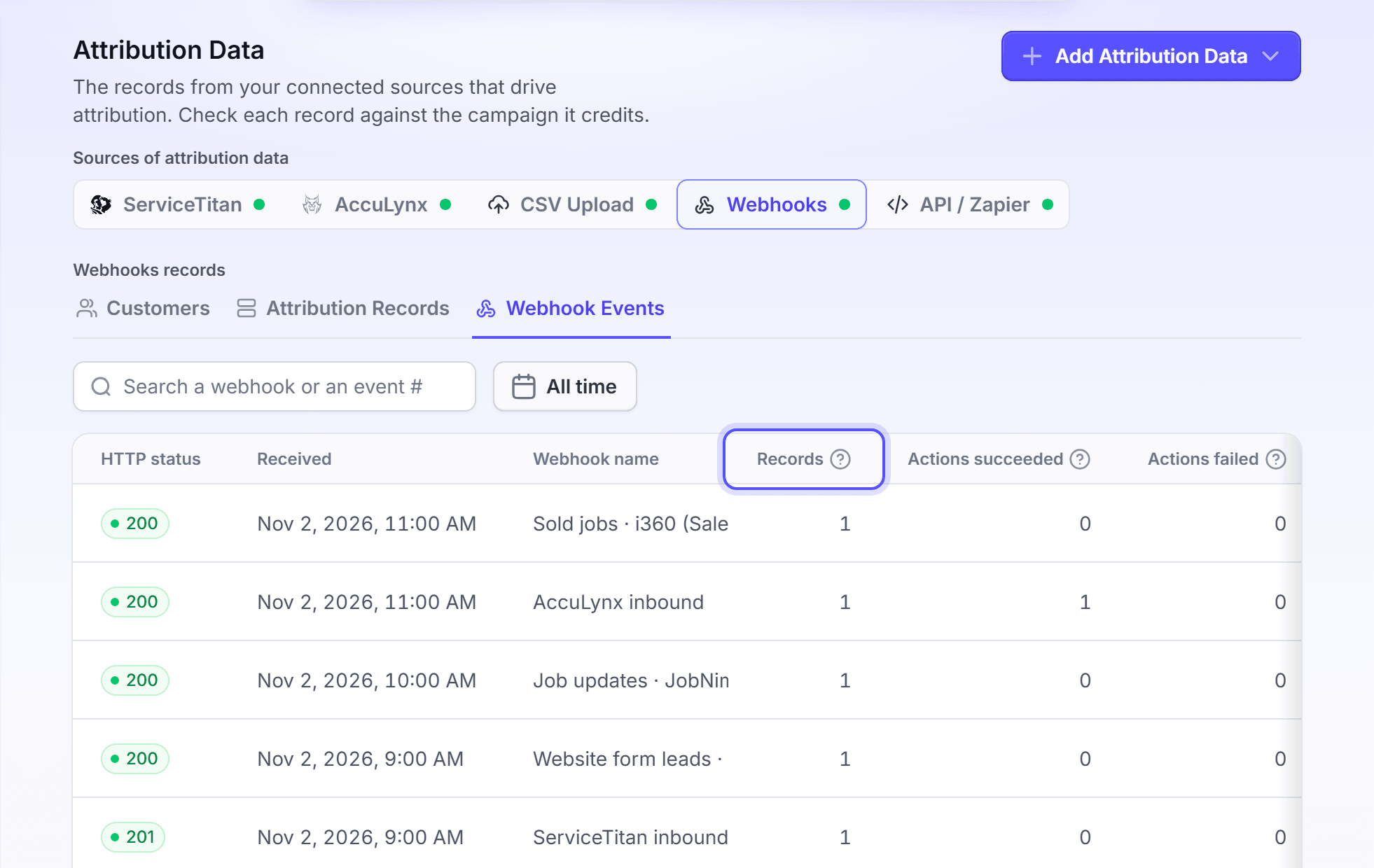
Optional: In the search field, enter a webhook name or an event number. You can also set the dates.
Click a row. The Webhook call drawer opens with the Records and the Request body of the call.
You're done when you see the call with its HTTP status, Records, Actions succeeded, Actions failed and Actions filtered. The three action columns count actions, not records.
FAQ
Related
Fields and filters
Fix a mapping or a filter that a run shows.
Set up a webhook
Set the status and the protection of a webhook.
Attribution Data
The records each source sends.
Steps checked 2026-11-16.