Housecall Pro
Send Housecall Pro jobs to LettrLabs with Zapier, or with a webhook on the Housecall Pro MAX plan.
Overview
Housecall Pro can send a job to LettrLabs when the job is scheduled or completed. LettrLabs then mails the customer, or the homes near the job.
You can send Housecall Pro jobs in two ways:
- A Zap reads Housecall Pro and sends each job to LettrLabs. This works on each Housecall Pro plan that includes Zapier.
- A webhook of Housecall Pro sends each job to a LettrLabs webhook. Housecall Pro has webhooks on its MAX plan only.
Before you begin
- A Housecall Pro plan that includes Zapier, or the MAX plan for a webhook.
- For a webhook: a LettrLabs webhook with an API key. See The LettrLabs part of each recipe.
Send Housecall Pro jobs with Zapier
In Housecall Pro, open the App Store from the app grid icon. Find Zapier, click View Details, and turn it on.
Connect Zapier to LettrLabs. See Connect Zapier.
In Zapier, start a Zap with Housecall Pro as the trigger app. Paste the key from the Zapier screen of Housecall Pro when Zapier asks for it.
Pick Job Completed or Job Scheduled as the trigger.
Add the LettrLabs app as the action. Pick your Zapier campaign, and map the name and address fields.
Test the Zap, then publish it.
You're done when the test job shows in your Zapier campaign in LettrLabs.
Send Housecall Pro jobs with a webhook
Use this way on the Housecall Pro MAX plan. Housecall Pro tells you to have a developer on hand for its webhooks.
X-API-KEY header of each call. If your Housecall Pro webhook cannot send that header, use Zapier.In Housecall Pro, open the webhook settings of your account.
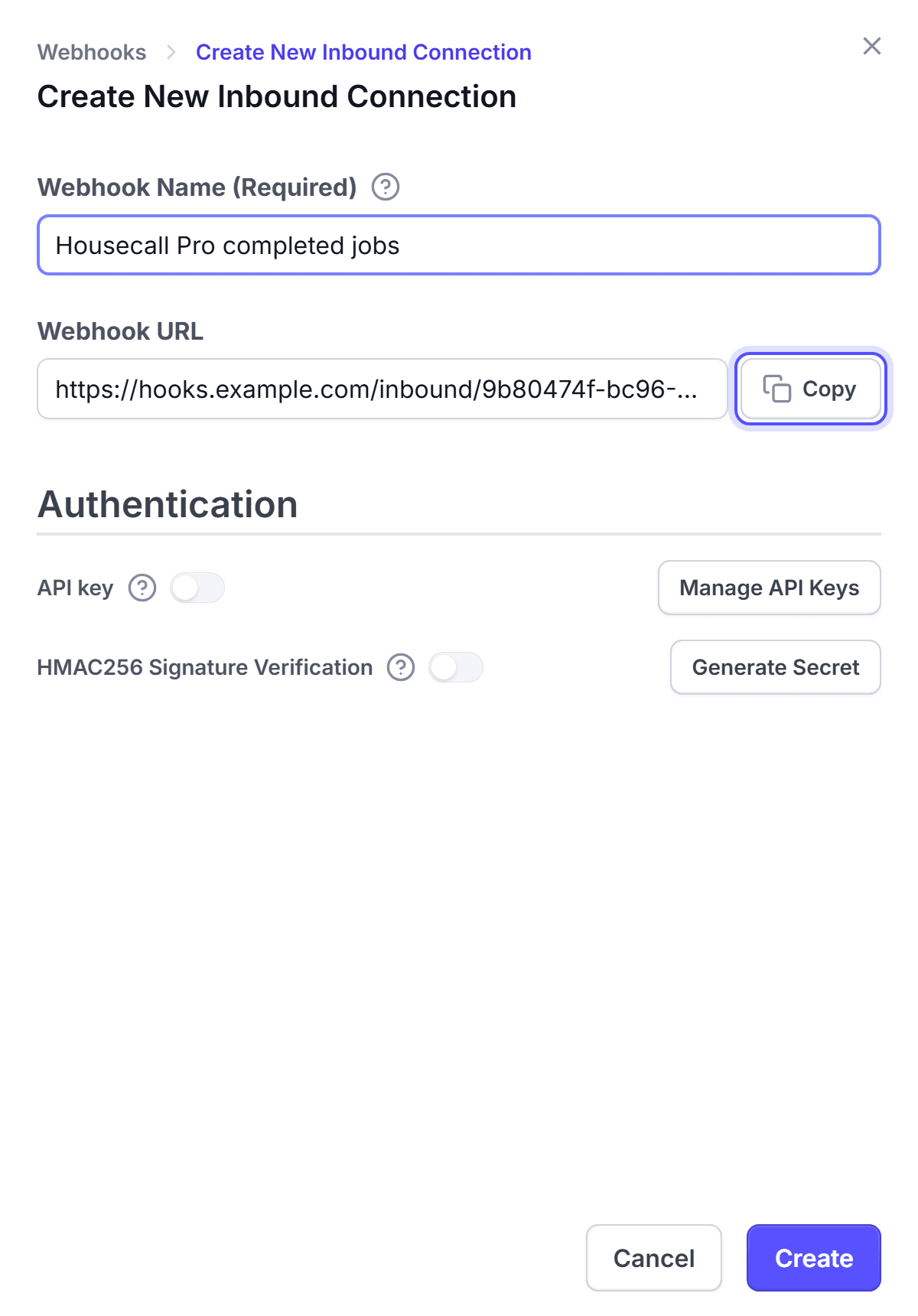
Enter the LettrLabs webhook URL, and add the X-API-KEY header with your LettrLabs API key.
Select the events to send, for example job.completed. Save.
Complete a test job, or send a test event.
You're done when the test job shows on the History tab of the Inbound webhooks page. Then make the campaign, and set the webhook to Active.
Housecall Pro gives you its own signing secret. LettrLabs checks only a secret that LettrLabs made, so keep the HMAC256 Signature Verification toggle off for this webhook.
FAQ
Related
CRM recipes
Compare the recipes of each CRM.
Zapier
Connect Zapier to LettrLabs.
Radius Mail
Mail the homes near each job.
Steps checked 2026-11-10.