Property signals and movers
Mail homes on a property signal, new movers, and homes near competitor permits.
Overview
A property signal tells LettrLabs that a home needs work. LettrLabs reads permits and property data to find these homes. The campaign mails each home when the signal shows, inside your monthly budget.
You can use property signal campaigns to:
- Mail homes whose system is past its life, missing or out of date.
- Mail homes when their service comes due.
- Mail people who just moved in.
- Win jobs near the permits of your competitors.
All three tasks start in Send Mail with Automated Campaign, Build a Custom Campaign and Buying Signals. A one-time send on a signal is coming soon.
Mail homes on a property signal
Do this to reach the homes that need the work you do, such as a furnace past its expected life.
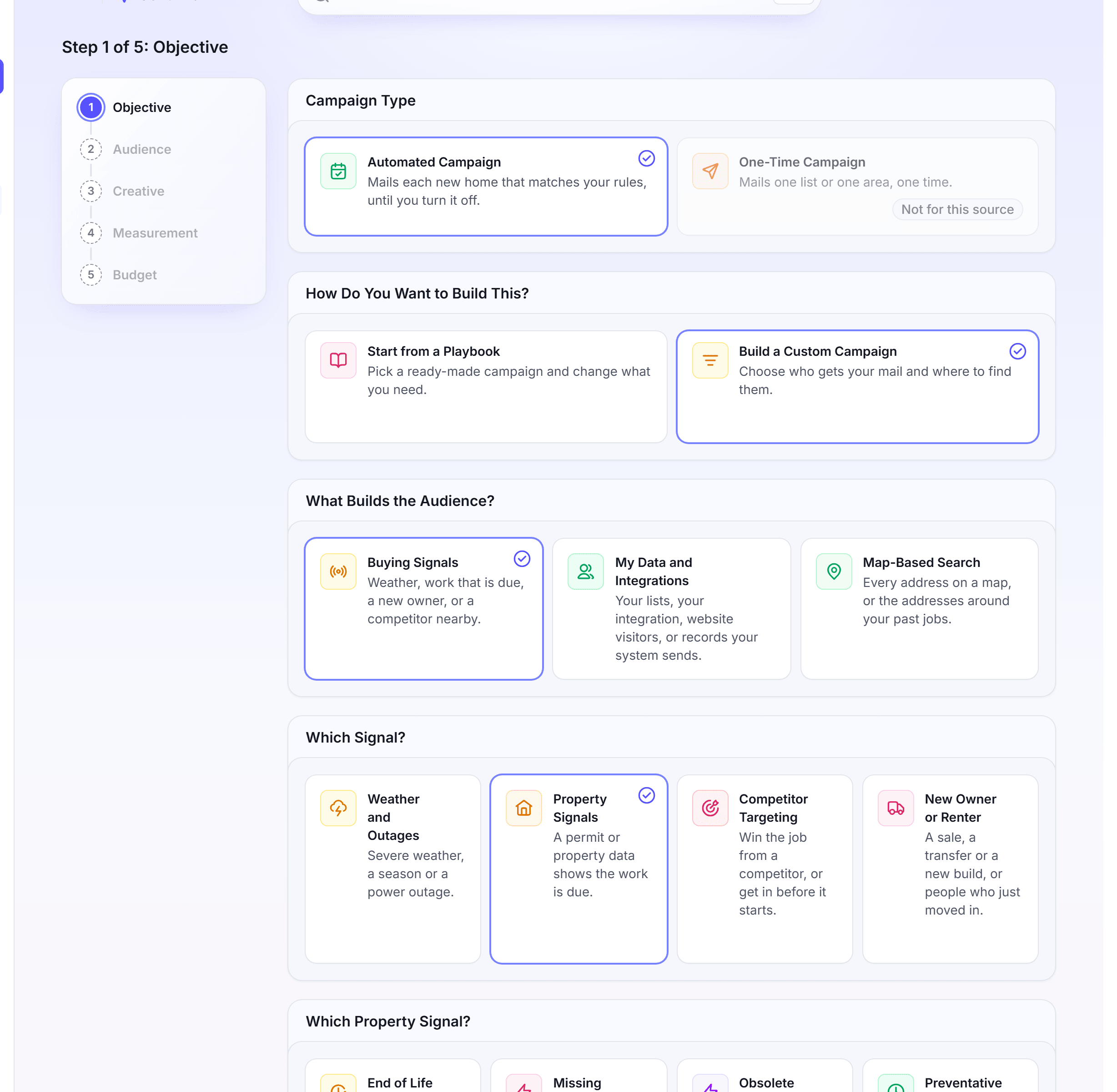
In the left navigation, click Send Mail.
Click Automated Campaign, then Build a Custom Campaign.
Under What Builds the Audience?, click Buying Signals. Under Which Signal?, click Property Signals.
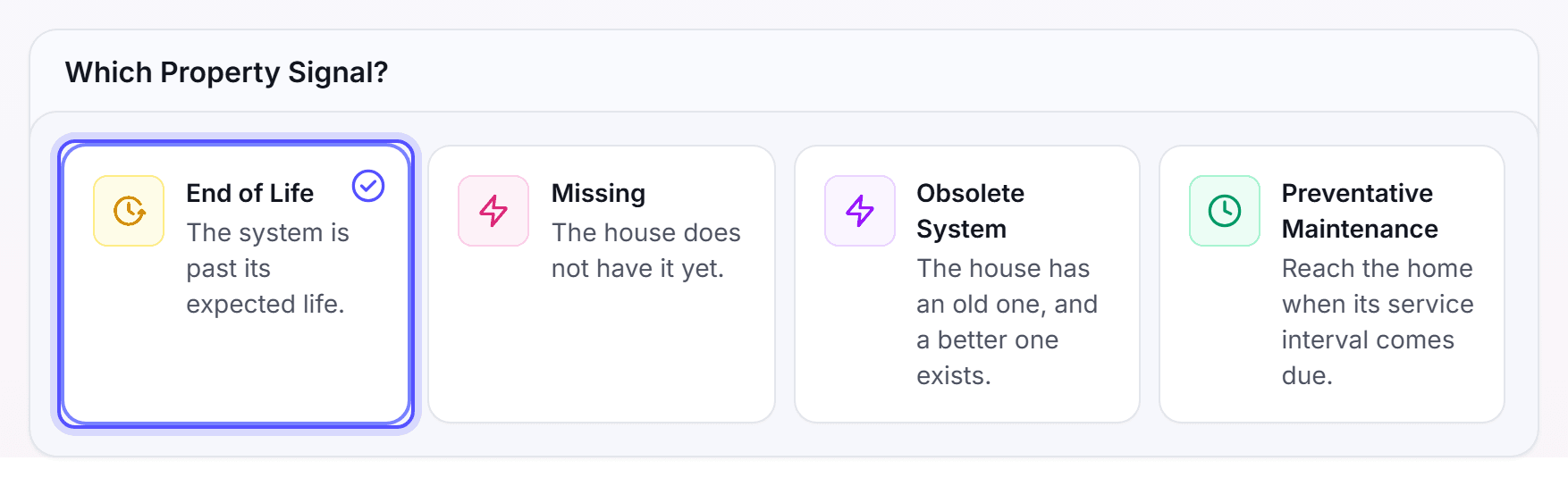
Under Which Property Signal?, click a signal.
Click Next. On the Audience step, answer the questions of the signal, such as Which permit types?.
Under Where it mails, pick the area.
Optional: Set filters on the Filters page, and set Who shouldn't get this card on the Exclude page.
Finish the Creative and Measurement steps.
On the Budget step, set the Budget. In Catch-up, select New homes only.
Click Turn it on. In the Name your campaign dialog, click Turn it on.
The signals do these things:
| Signal | The homes it mails |
|---|---|
| End of Life | The system is past its expected life. |
| Missing | The house does not have the system yet. |
| Obsolete System | The house has an old one, and a better one exists. |
| Preventative Maintenance | The service interval of the home comes due. |
A Preventative Maintenance campaign can mail in a season each year. On the Audience step, answer Which month does the season start? and Which day does the season start?. Optional: Answer Which month does the season end? and Which day does the season end?. For example, a season can run from Nov 1 to Dec 15.
You're done when the message "Your automation is on" shows. Each home that shows the signal then gets the mail. You can pause the campaign at any time.
Mail new movers
Do this to welcome the people who just moved into your area, before they pick their providers.
You need the Core plan or higher.
In Send Mail, click Automated Campaign, then Build a Custom Campaign.
Click Buying Signals, then New Owner or Renter.
Under New Owners or New Movers?, click New Movers.
Click Next. On the Audience step, under Who gets this card, pick who gets the card.
Under Where it mails, add one or more locations.
In How many homes in each location?, select No limit, or select Up to and enter a number.
Finish the Creative and Measurement steps.
On the Budget step, set the Monthly limit.
Click Turn it on, then confirm the name.
In the Enable Automation dialog, select a payment method, then click Enable Automation.
The Monthly limit is the most first touches the automation mails each month. Set 50 or more. Each first touch starts the sequence of cards to one home.
New Owners is coming soon. Use New Movers to reach people who moved in.
You're done when the message "is created" shows with the campaign name. The campaign page opens, and the campaign shows on the Automations tab.
Win jobs near competitor permits
Do this to reach a home when a competitor pulls a permit there, or to mail its neighbors.
In Send Mail, click Automated Campaign, then Build a Custom Campaign.
Click Buying Signals, then Competitor Targeting.
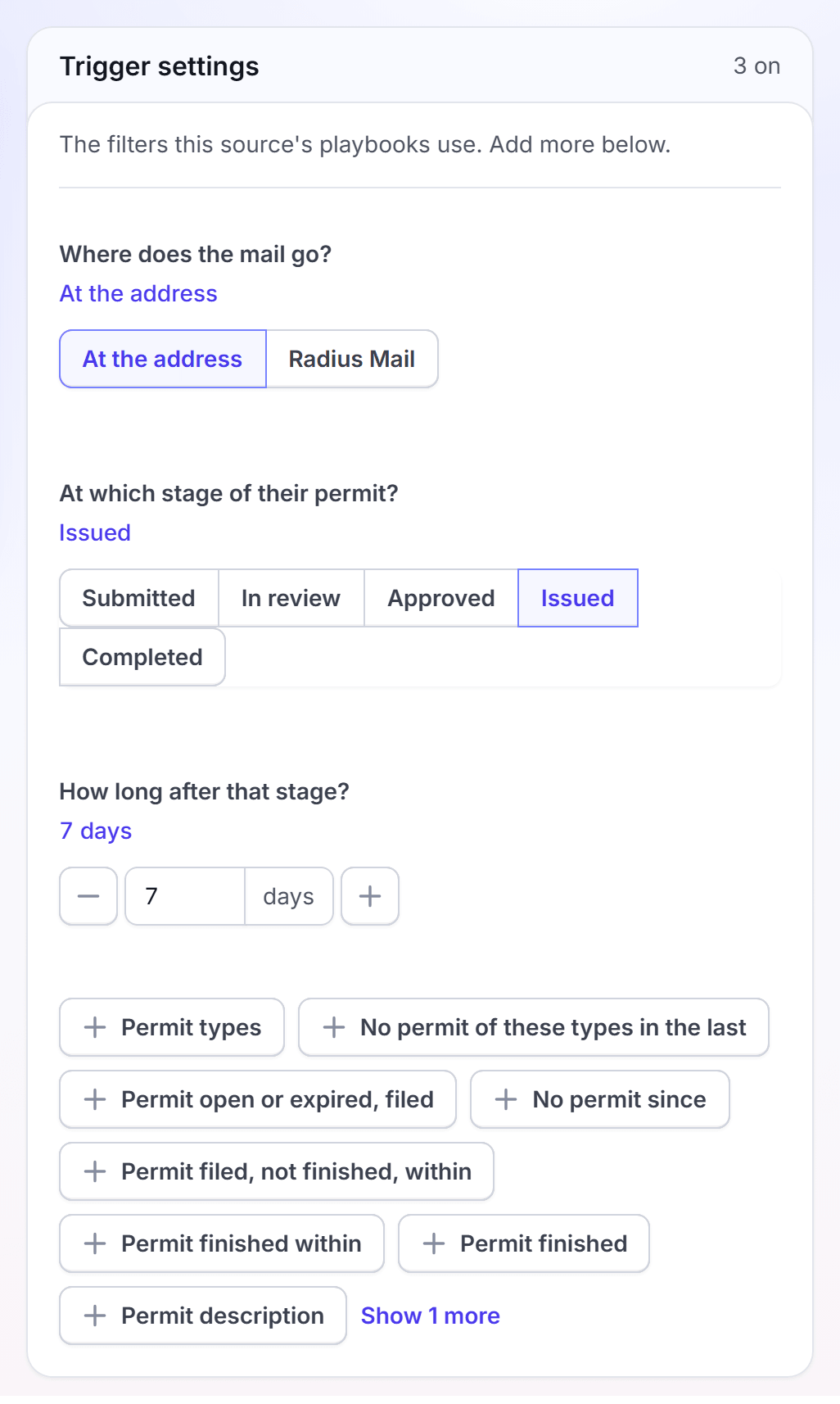
Click Next. On the Audience step, answer the competitor questions.
Under Where it mails, pick the area.
Finish the Creative, Measurement and Budget steps.
Click Turn it on. In the Name your campaign dialog, click Turn it on.
The competitor questions narrow which permits start a mailing:
| Question | What it sets |
|---|---|
| Where does the mail go? | At the address mails the home with the permit. Radius Mail mails the homes near it. |
| At which stage of their permit? | Submitted, In review, Approved, Issued or Completed. |
| How long after that stage? | The number of days after the stage before the card mails. |
You're done when the message "Your automation is on" shows. Each permit that matches then starts a mailing.
Ideas for new owners
Start from a Playbook in Send Mail has playbooks for the homes that sold in the last 90 days. Some of them are:
| Playbook | Trade |
|---|---|
| New owner roof inspection | Roofing |
| New owner water heater check | Plumbing |
| New owner safety inspection | Electrical |
| New owner window upgrade | Siding, windows and doors |
| Mover pest baseline | Pest control |
| Mover deep clean | Cleaning |
Pick your trades in Start from a Playbook to see each playbook for your business. See Playbooks.
FAQ
Related
Automated campaigns
Add touches, set the budget and edit an automation.
Playbooks
Start from a ready-made playbook for your trade.
Service Areas
Draw the areas where you work once, and use them in each campaign.
Steps checked 2026-11-16.